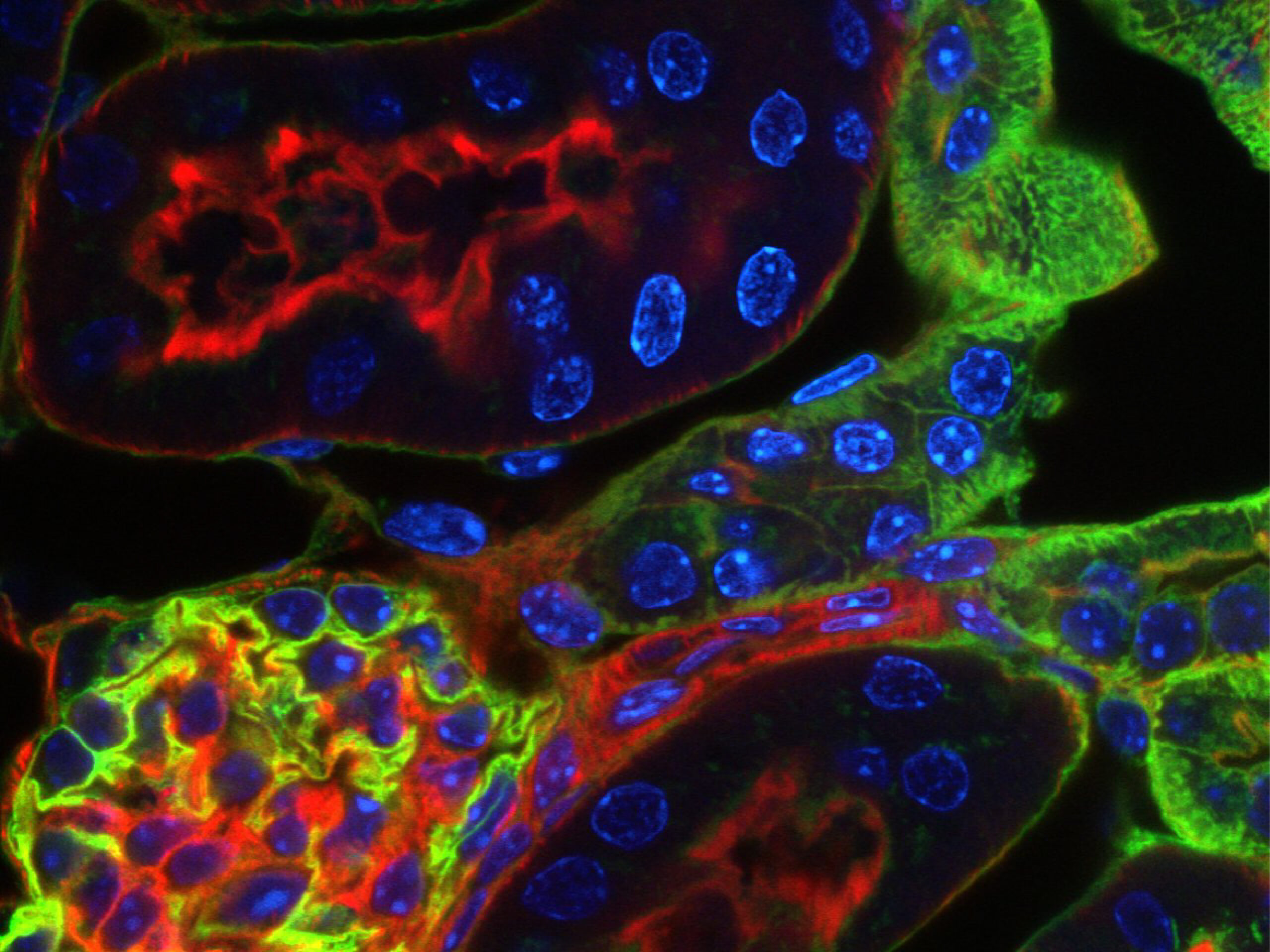
MICROSCOPE CONTROL AND IMAGE ACQUISITION SOFTWARE
Choose the technologies you trust. Build the system you need.
Bring your fluorescence microscope and connected devices into one configured, fully supported control environment.
INSCOPER Imaging Software
Built for everyday imaging & ready for more
INSCOPER is vendor-independent microscope control and image acquisition software that brings microscopes, cameras, illumination, stages, and third-party devices together in one synchronized system. It gives you the flexibility to design multidimensional acquisitions, automate experiments, and extend workflows with custom scripts to take your imaging system beyond its original capabilities.
All from one user-friendly interface.
Choose without compromise
Bring together the imaging technologies that best fit your research across manufacturers, devices, and generations.
Make complex acquisitions feel simple
Build, customize, save, and rerun multidimensional sequences through a clear visual workflow.
Go further when the experiment demands it
Extend standard acquisitions with Python, image-driven decisions, and custom device control.
Rely on a system built around you
From configuration and onboarding to worldwide technical support, our team helps keep your setup operational and ready to evolve.
Control your imaging system from one unified interface
Experience a unified workspace engineered to eliminate deep menus and software fragmentation. INSCOPER Imaging Software streamlines your entire imaging journey into three structured tabs, taking you seamlessly from setup configuration to sequence execution and real-time data review without breaking your workflow.
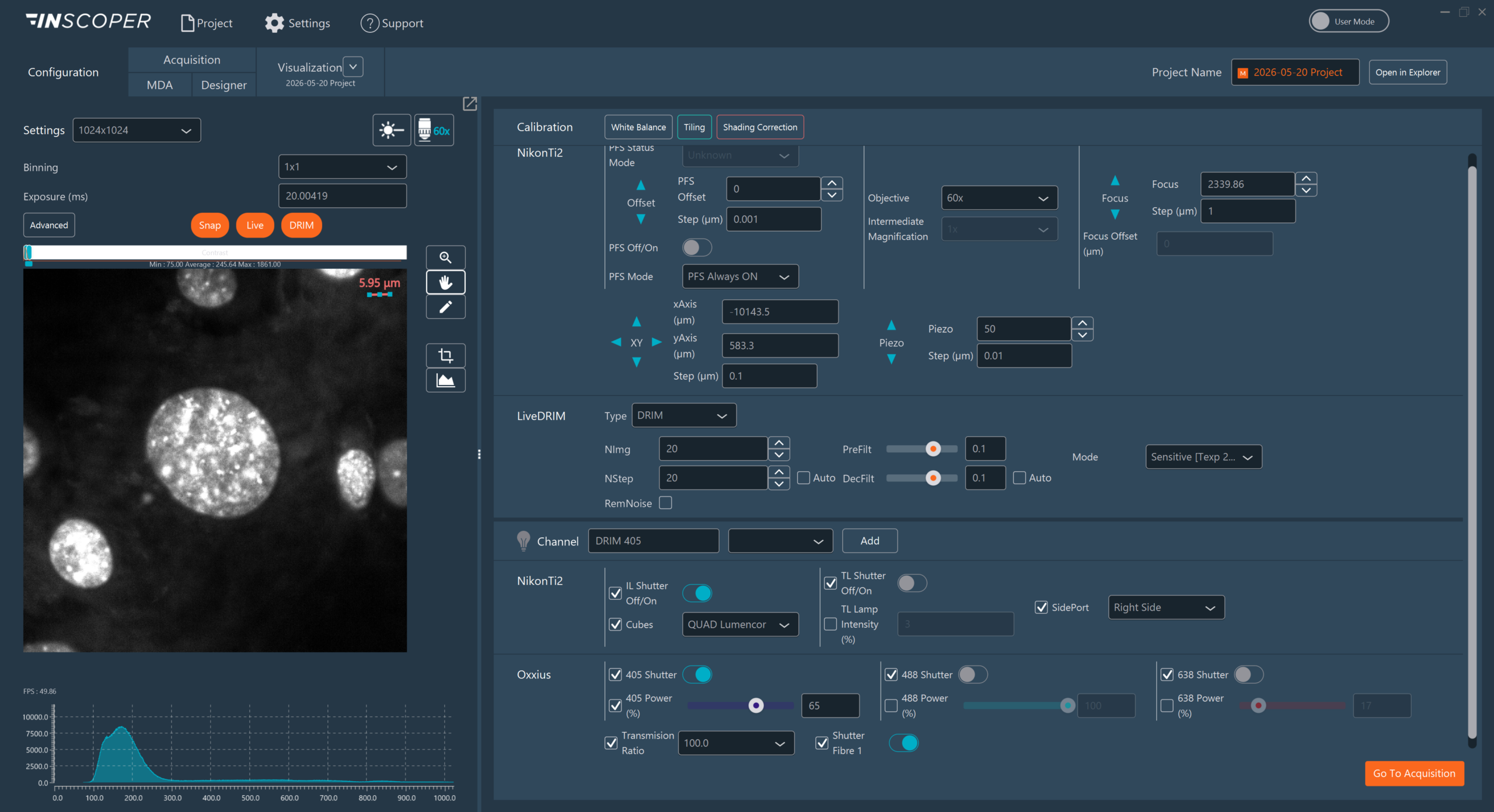
Configure: Prepare your imaging session
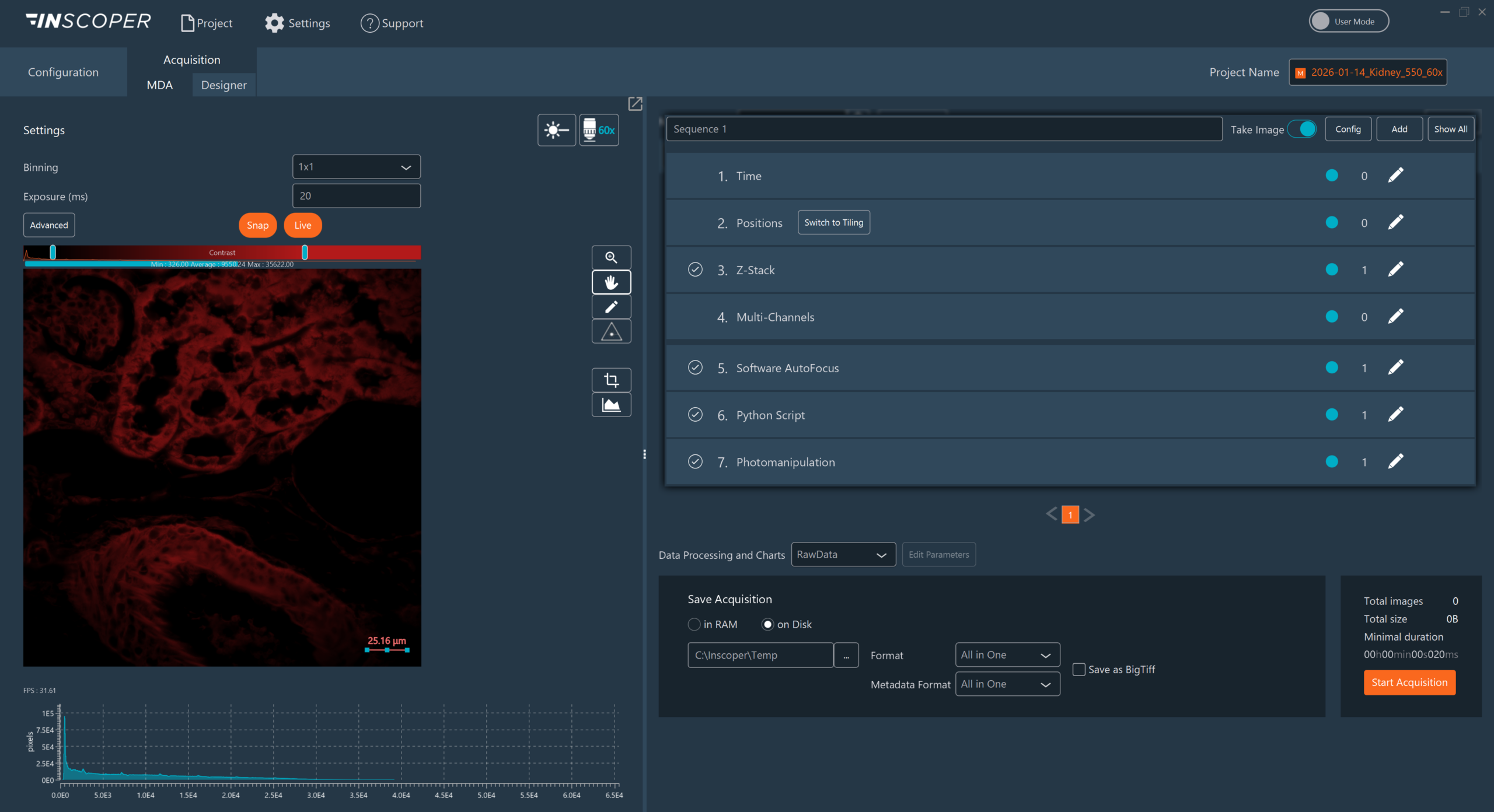
Acquire: Design flexible acquisition workflows
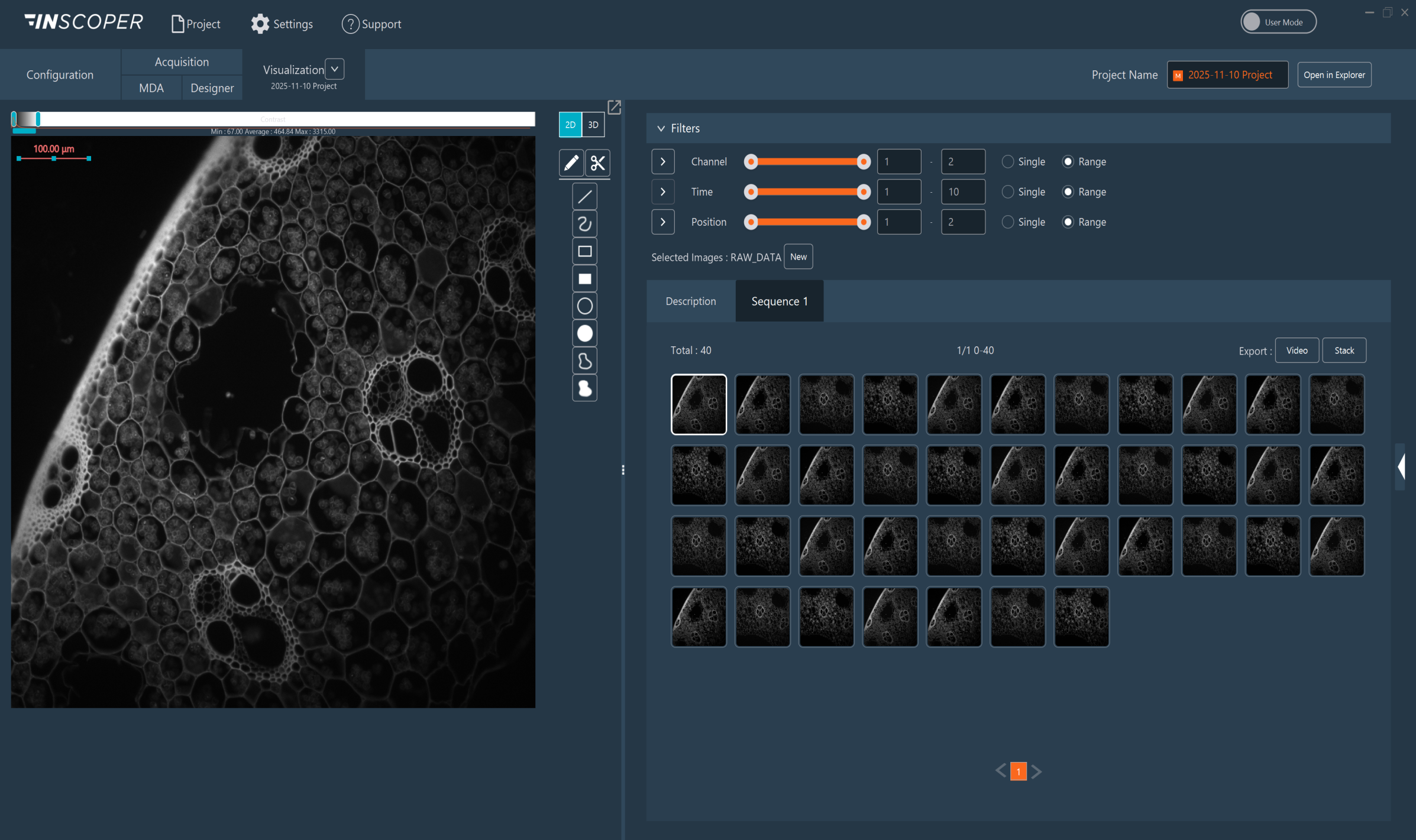
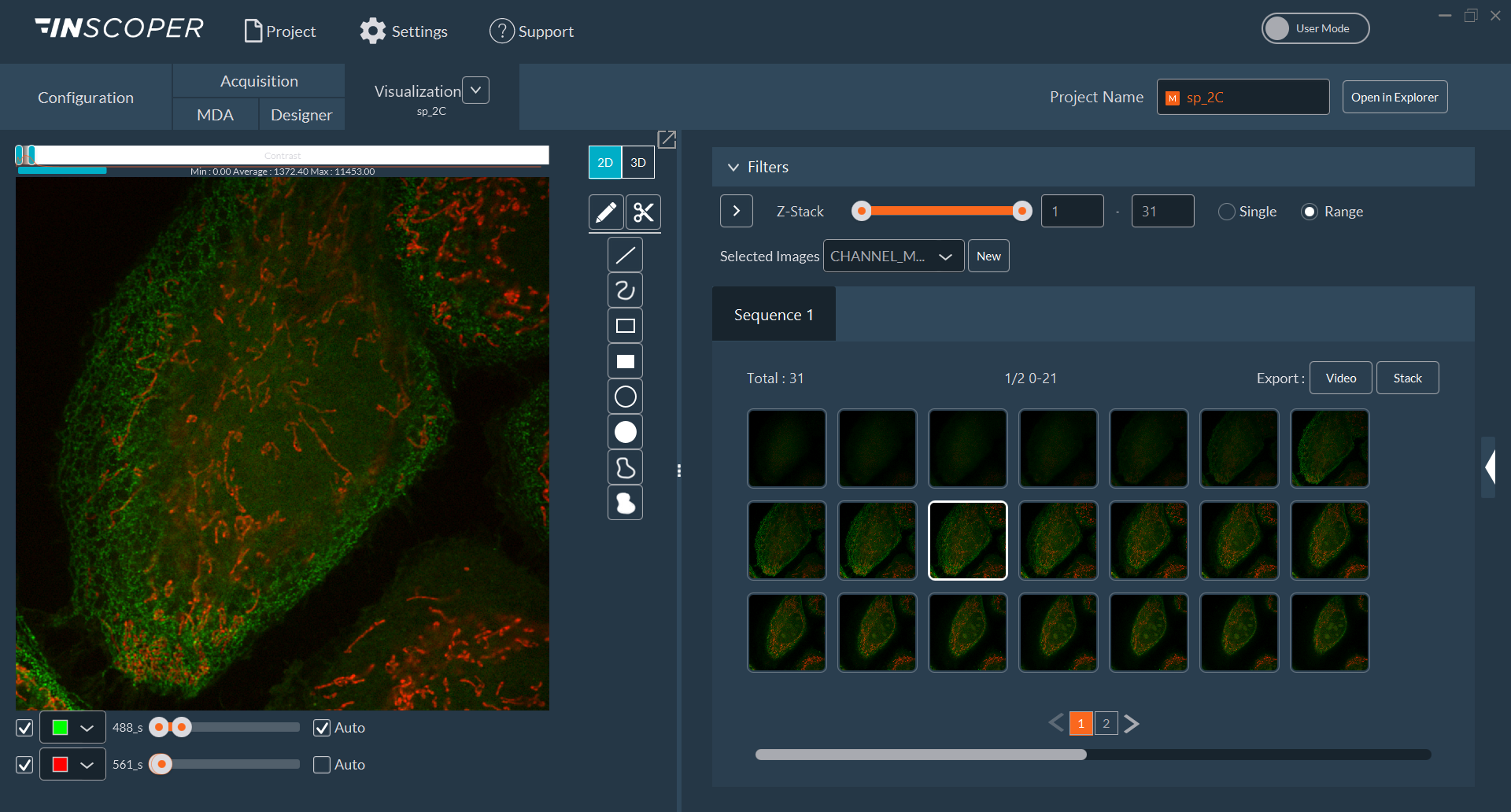
Visualize: See your experiment come to life
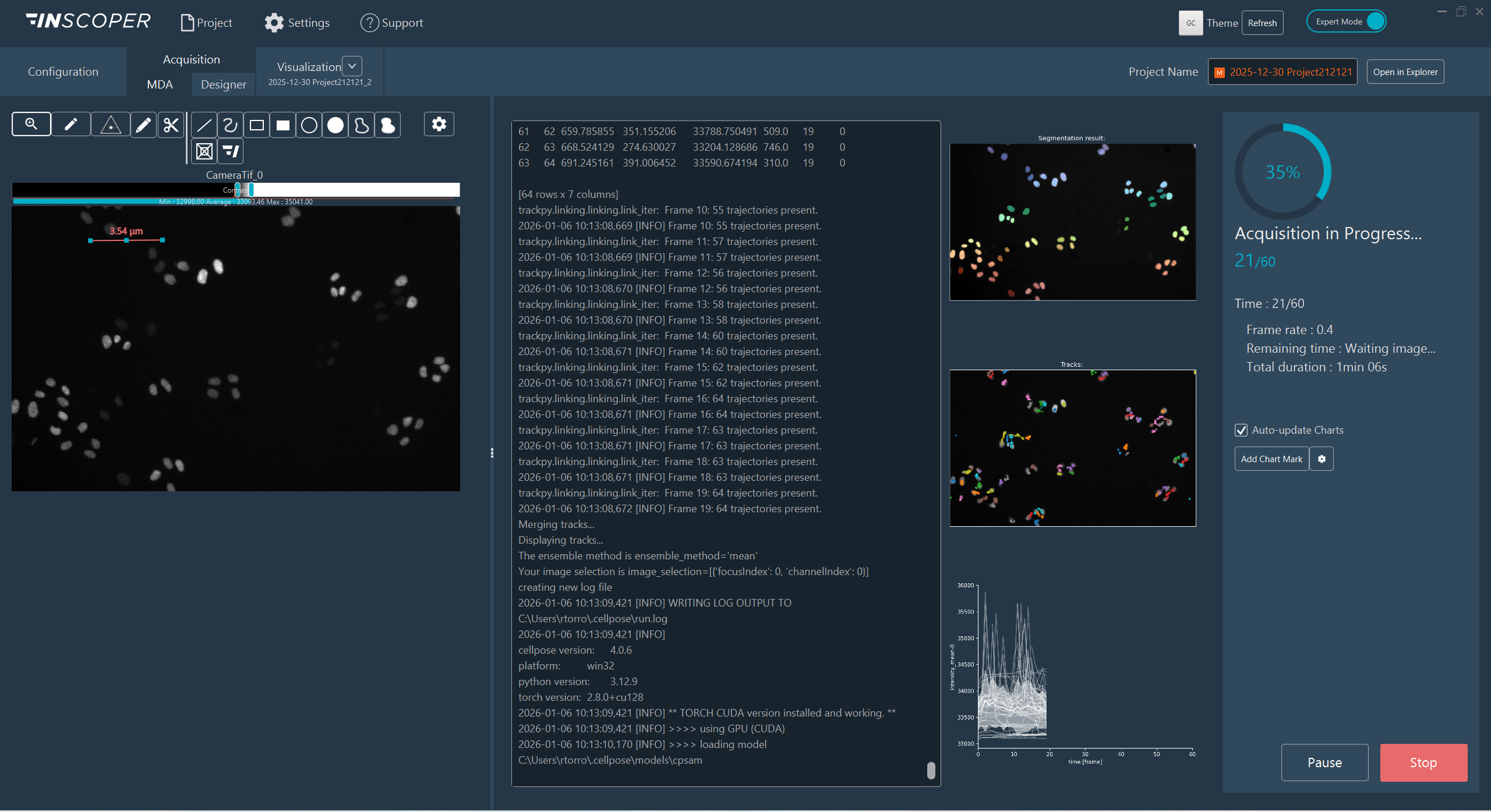
Custom Scripting: Adapt and extend
1. CONFIGURATION
Built for your imaging system
Access the devices, channels, and system rules prepared for your microscope configuration, so every experiment starts from a reliable setup.
- Adapt the interface to each user: Switch effortlessly between User and Expert modes, giving everyday researchers a clear, intuitive workspace while keeping advanced controls available when needed
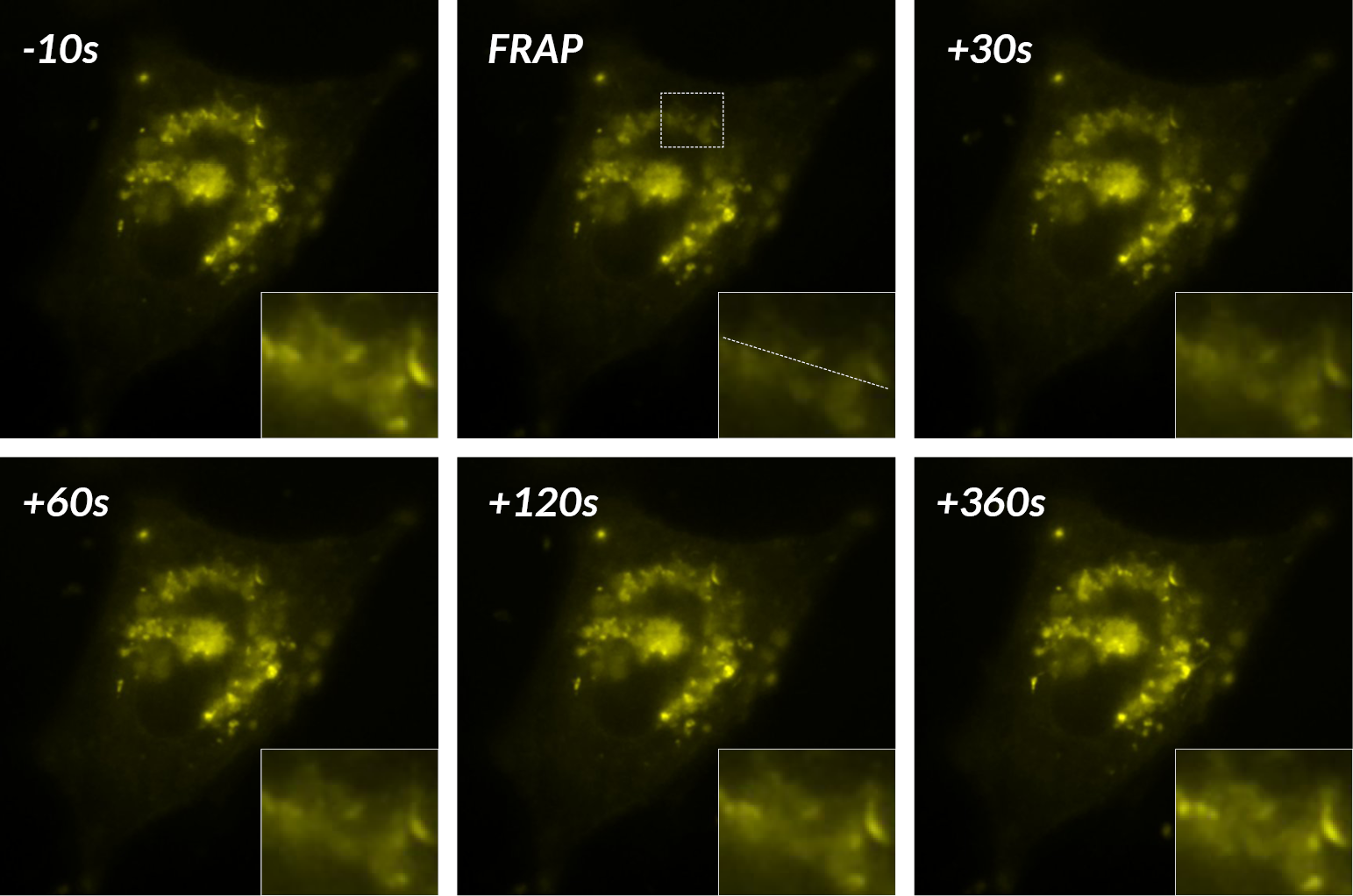
- Calibrate with confidence: Run guided calibration routines for shading correction, tiling, FRAP/TIRF laser alignment, light-sheet beam path alignment and other system-specific calibrations as needed
2. ACQUISITION
From simple sequences to custom workflows
Build and automate the acquisition sequence your experiment requires, from routine multi-dimensional setups to complex conditional workflows designed for entirely new applications.
- Complete multidimensional acquisition
Bring time-lapse, multichannel, Z-stack, multiposition, tiling, multiwell plates, and autofocus in one protocol. Combine protocols to build multiple sequence loops. - Control the sequence execution order
Drag and reorder acquisition dimensions to define exactly how your sequence is executed. - Reuse saved protocols
Ensure consistent workflows across experiments, user sessions.
3. VISUALIZATION
See your experiment come to life
Watch fluorescence images appear as they are acquired, explore the structures and dynamics revealed by your experiment, and check image quality before the sequence is complete.
- Monitor acquisition quality in real time
Review incoming images, intensity levels, focus, and acquisition progress while the experiment is running - Explore multidimensional data with ease
Navigate images across channels, Z-planes, time points, and positions, review acquisition metadata, and display Z-stacks using meaningful physical units - Turn acquisition into clear visual results
Merge channels, stitch large fields of view, and generate 3D visualizations to reveal and review the information within your sample - Keep the microscope available
Use the standalone Viewer to explore data and perform stitching on another computer without occupying the acquisition workstation - Export for further analysis
Save images, videos, and associated metadata in standard formats for use in ImageJ, Python workflows, or other downstream analysis tools
Go further
Map adaptive acquisitions visually
When your experiment requires more than a fixed multidimensional sequence, the Acquisition Designer option lets you build adaptive acquisition logic visually. Combine device commands, conditions, loops, and variables to change what happens as the experiment runs, for example, switching acquisition channels partway through a Z-stack.
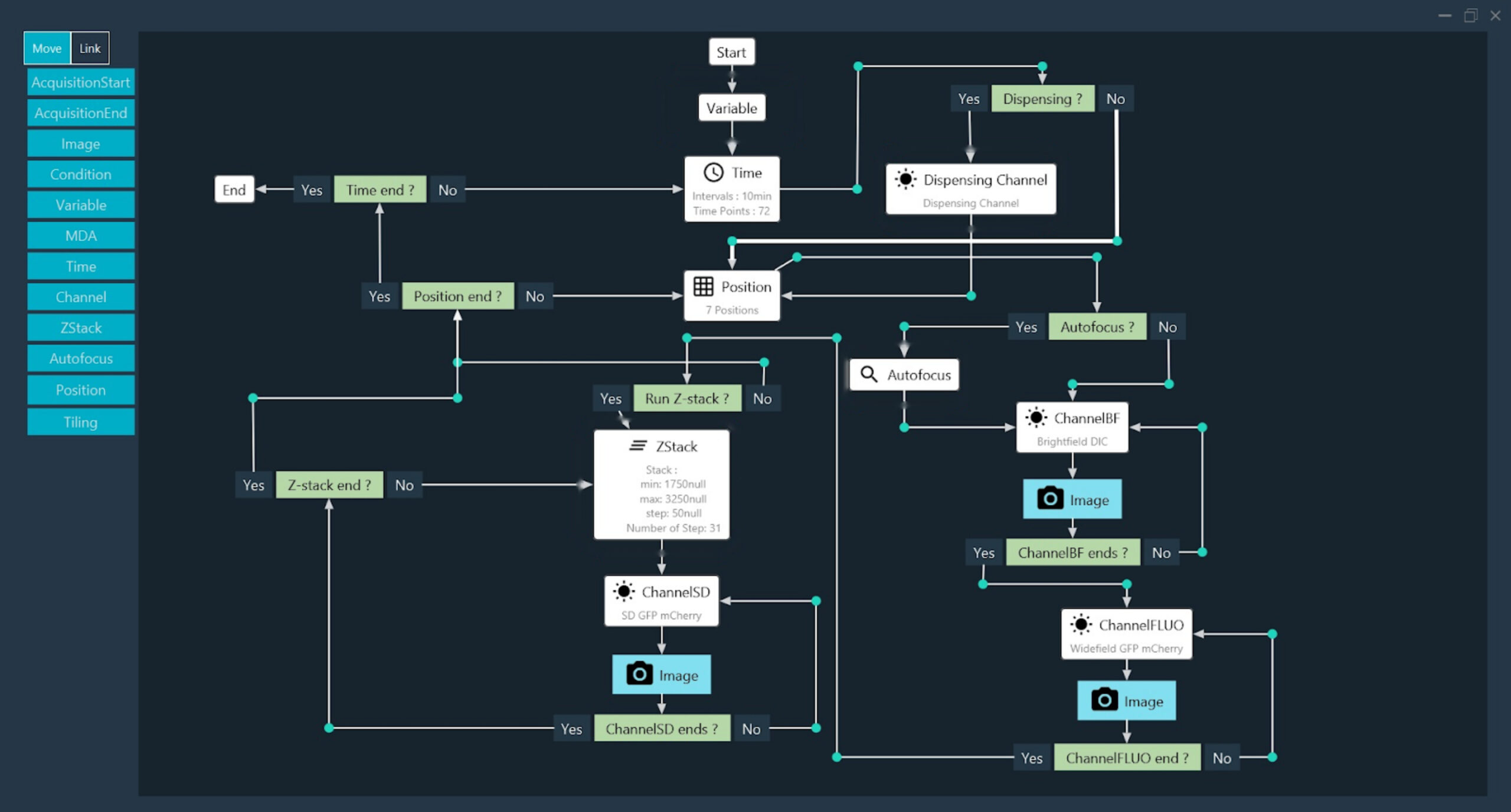
Orchestrate adaptive acquisition logic through a visual workflow without writing code.
Smart microscopy to extend workflow without limit
When your acquisition needs to react to the sample, integrate custom processing, or control a unique device behavior, the Custom Scripting option lets you extend the workflow while preserving the intuitive experience for everyday users.
A Python script can analyse incoming images, return measurements or decisions and adapt what the system does next, automatically.
This can enable:
- acquisition parameters that adjust to the sample
- imaging triggered by a detected biological event
- automatic target tracking and recentering
- conditional acquisition steps
- custom autofocus or device-control logic
- Image-analysis-assisted decisions during acquisition.
Experts can develop the underlying script while everyday users run the workflow through simplified controls inside the interface.
In this short video, see how custom scripts turn live image data into acquisition decisions to automatically detect, target, and track what matters in your sample.
From acquisition control to adaptive workflows
INSCOPER connects acquisition control, incoming image data, and decision-making within one coordinated environment. Whether driven by the researcher or automated logic, decisions can feed directly back into hardware control, allowing the workflow to adapt in real time while supporting reproducible experiments and high-quality data acquisition.
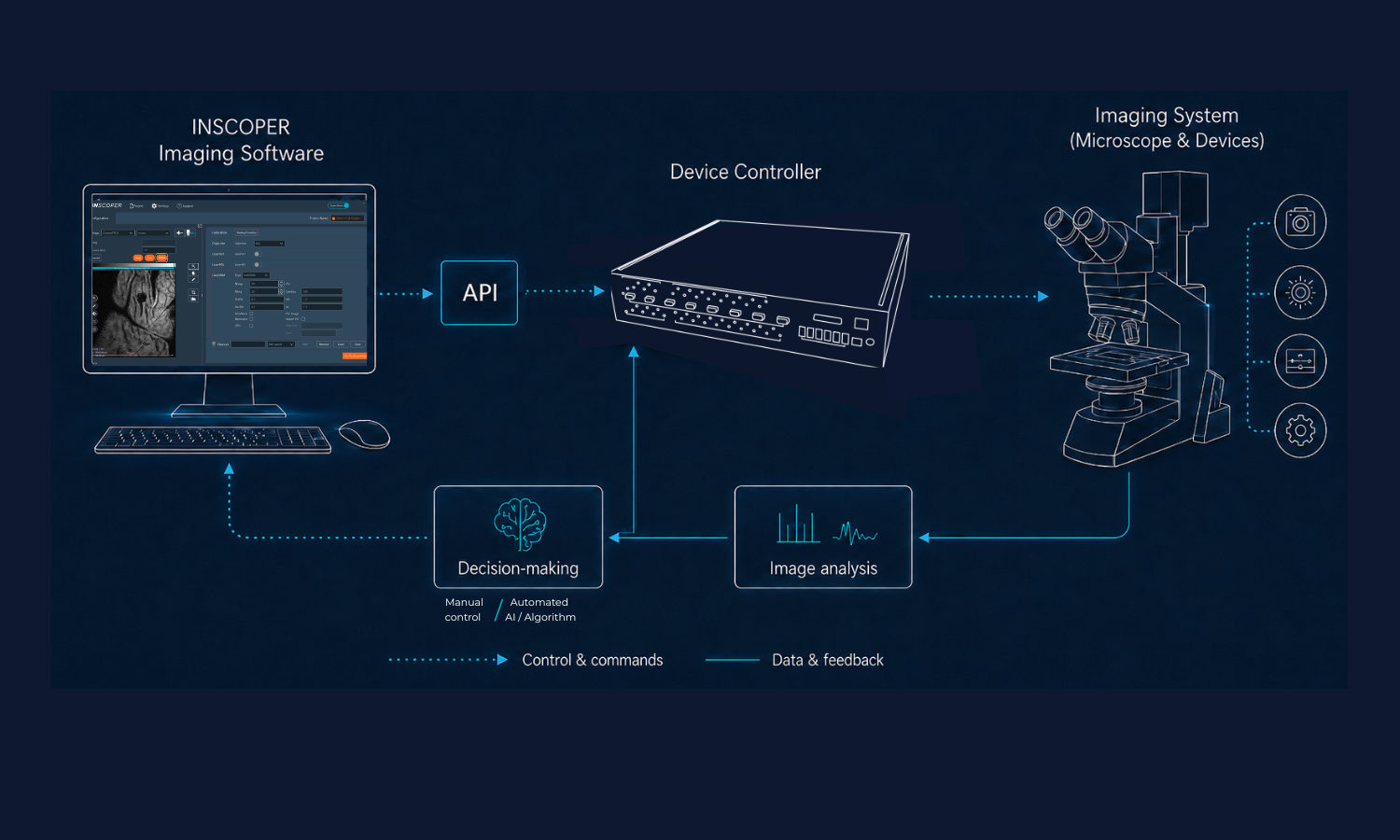
INSCOPER’s closed-loop imaging architecture: Connecting acquisition control, acquired data, and precise hardware execution, while enabling both user-driven workflows and automated decision-making for smart microscopy.
The engine behind the experience
While INSCOPER is designed to feel intuitive for everyday users, its performance relies on a sophisticated control architecture developed and refined through more than a decade of real-world microscopy integration.
By combining dedicated hardware control, precise device synchronization, and flexible communication methods, INSCOPER coordinates complex imaging systems while keeping the user experience simple.
Dedicated time-critical control
The INSCOPER Device Controller executes time-critical commands independently of the PC operating system, helping ensure stability and repeatable experiment execution.
Hardware-level synchronization
TTL input and output signals provide precise hardware triggering across cameras, illumination, stages, scanners, and external devices, enabling both simultaneous activation and microsecond-timed sequencing of successive actions.
Unified coordinated imaging system
INSCOPER selects the most appropriate control method for each device, combining dedicated controller communication, TTL triggering, native drivers, and custom-developed drivers within one configuration.
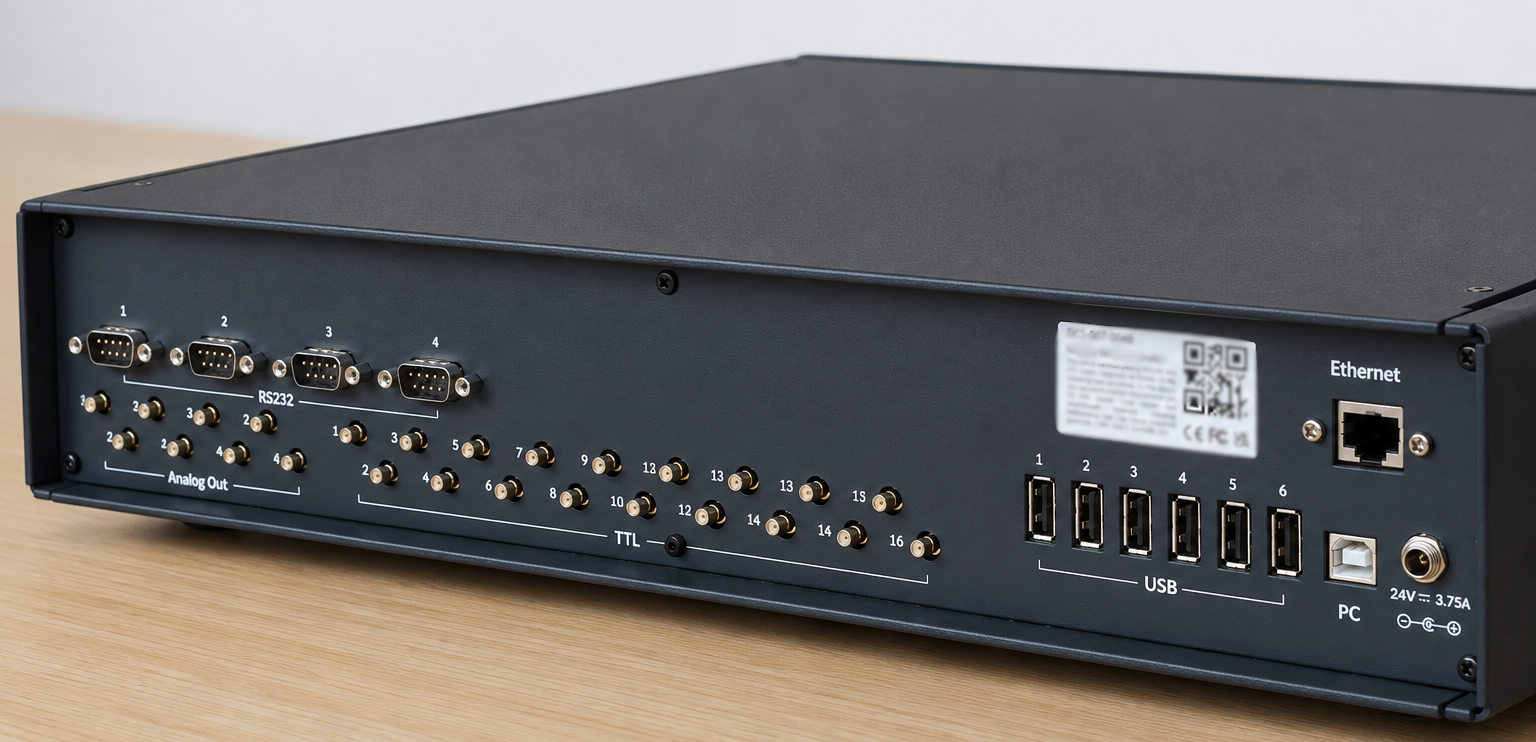
Combine USB, RS232, TTL, and analog connections to control diverse technologies as one unified imaging system.
Microscopy solutions for every imaging challenge
From routine imaging to advanced multidimensional analysis, our scalable microscopy solutions deliver the flexibility, precision, and performance to meet the evolving needs of research, clinical, and industrial applications.
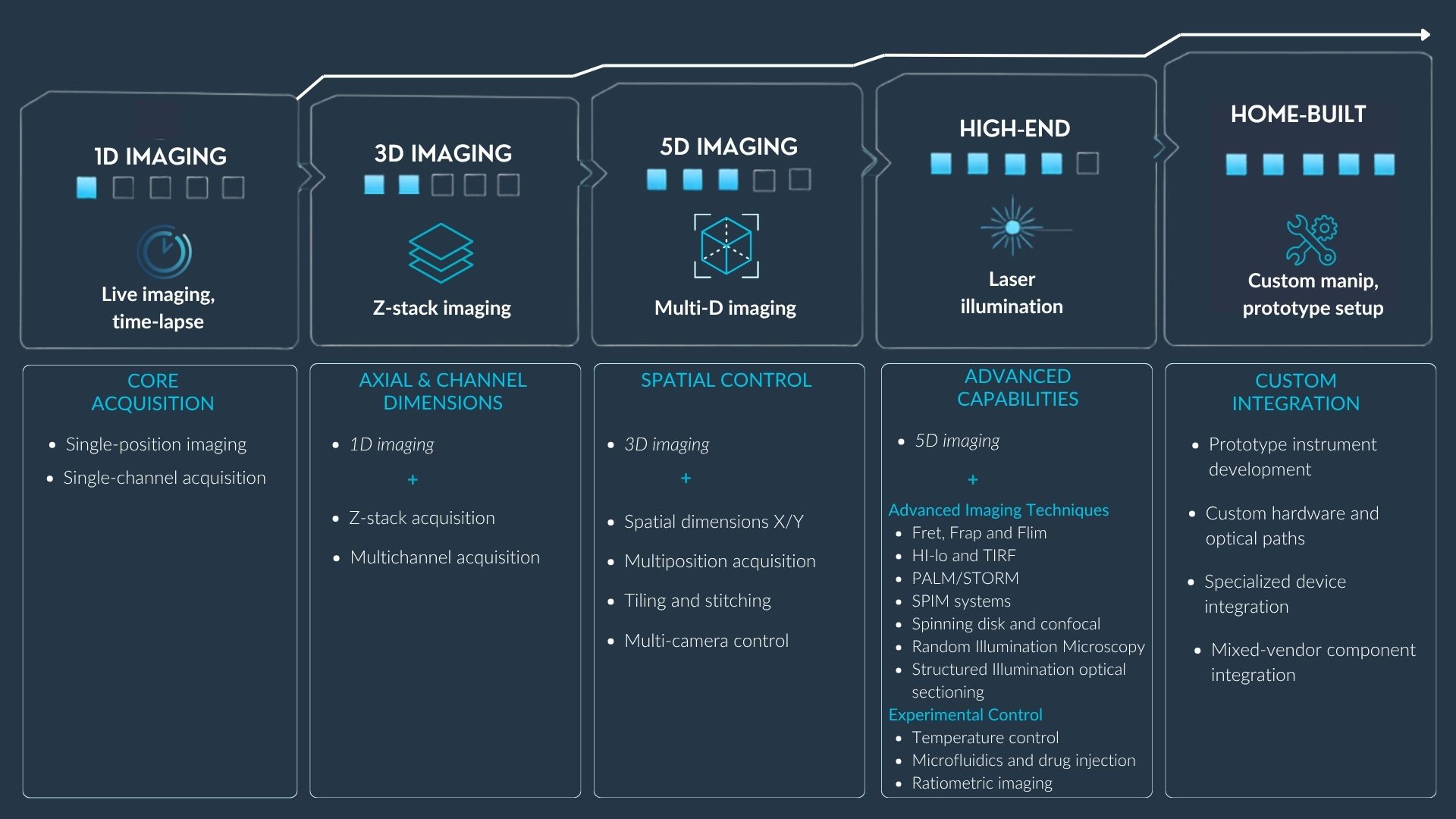
INSCOPER setup options scale with your imaging requirements, from 1D acquisition to advanced and custom systems.
Explore every capability
Our complete User Guide is freely available online, so you can explore INSCOPER’s workflows, features, and technical capabilities in detail.
Let’s connect
Whether you are upgrading an existing microscope, designing a new imaging setup, or integrating a specialist solution for a customer, let’s discuss your project:
EXPLORE RELATED IMAGING SOLUTIONS
Purpose-built technologies powered by INSCOPER Imaging Software for advanced fluorescence microscopy applications.